
Qissa قصہ

Learn to speak Urdu,
not to tap pictures.

Qissa is an iPhone app for speaking Urdu. You say everyday lines out loud, then hear your recording next to the app's. Made for people who understand Urdu but find it hard to reply.

Download on the App Store Join the waitlist

Coming soon to iPhone.

Starts with a free trial.

Join the waitlist

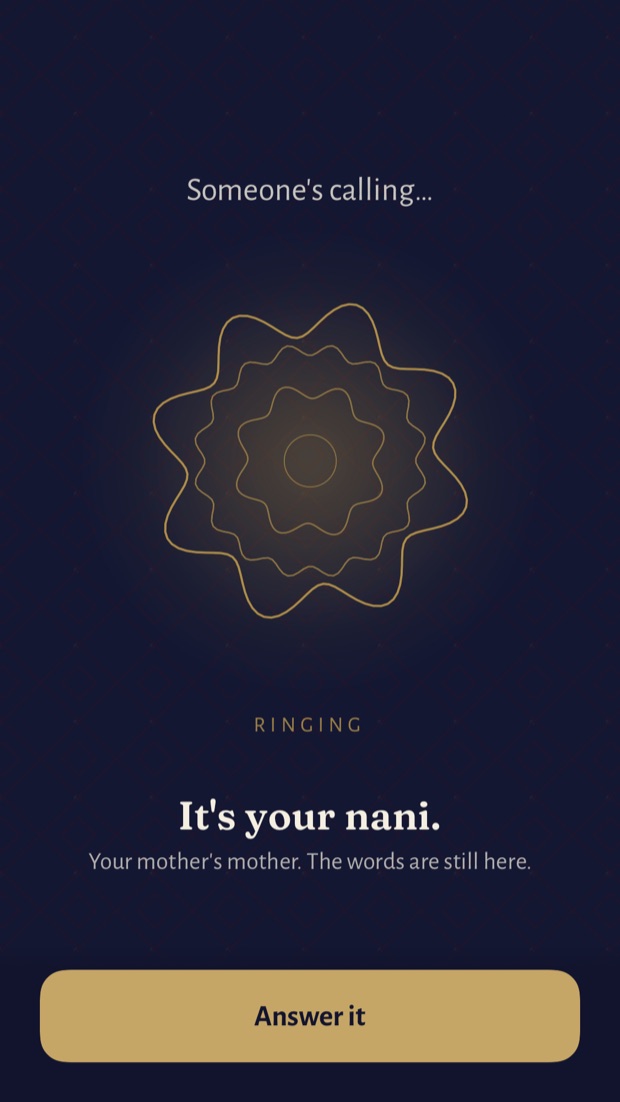
The first screen of the story: someone is calling, it's your nani, and an Answer it button.

Before launch

Join the waitlist.

Leave your email and we will write to you once, on the day Qissa is out.

Which phone do you use? (optional)

The waitlist opens soon.

Why this exists

You can understand your nani on the phone. You just can't answer her.

Many of us grew up hearing Urdu at home and answering in English. Now we understand most of what family says, but we can't reply. Most language apps start from zero, with picture cards and words like cat and milk. That does not help on a phone call.

Qissa teaches the Urdu you need on a family call. You say each line out loud, play your recording next to the app's, and decide if it sounds right. You don't need a perfect accent.

What you do

01

بولو

Bol

Speak

Say a line out loud, then hear your recording next to the app's.

02

سنو

Suno

Listen

Hear Urdu at normal speed, the way your family talks.

03

قصہ

Qissa

Story

Short stories about where words come from, so they're easier to remember.

04

پڑھو

Parho

Read

Learn the Urdu script if you want to. Every lesson also works in English letters.

Speak first

Say it out loud,
then compare.

Say the line, then play your recording right after the app's. Listen, compare, and try again as often as you like. You can also turn on the words check, which tells you which words it heard. If it misses a word you know you said, one tap marks it correct.

Most apps
A red X and a buzz.
Qissa
Your recording, played right after the line.
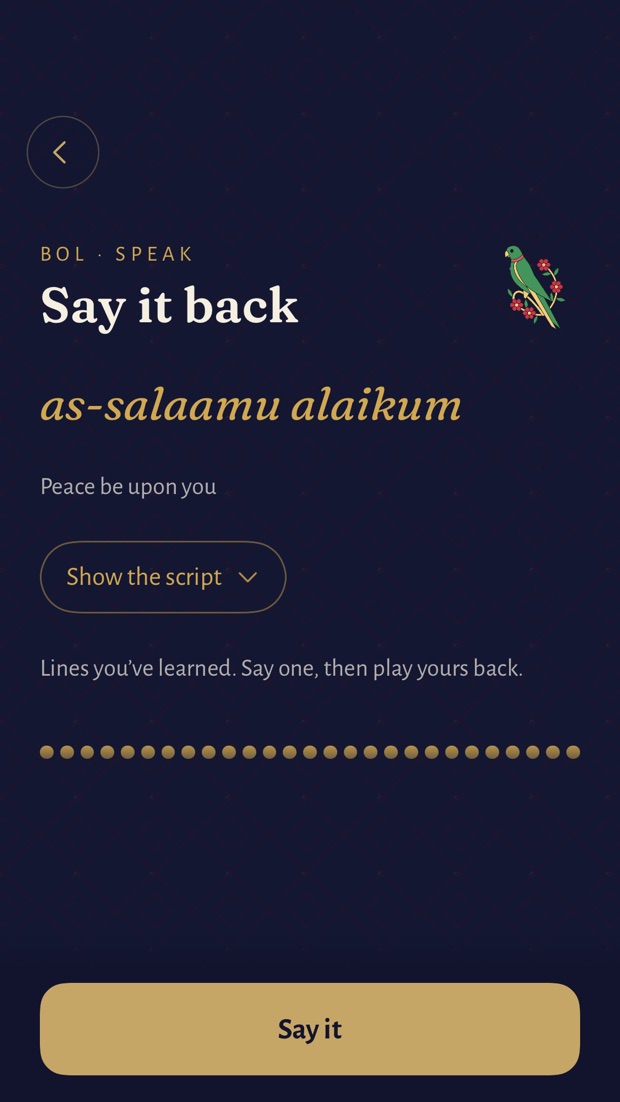
The Speak screen: say it back, a transliteration, and a Say it button.

Story & history

Learn where
words come from.

Urdu has one word for your mother's mother (nani) and another for your father's mother (dadi). Qissa explains words like these with short stories, so you remember them.

An incoming call screen: it's your nani, your mother's mother, and an Answer it button.

Daily practice

One new word a day,
about fifteen minutes.

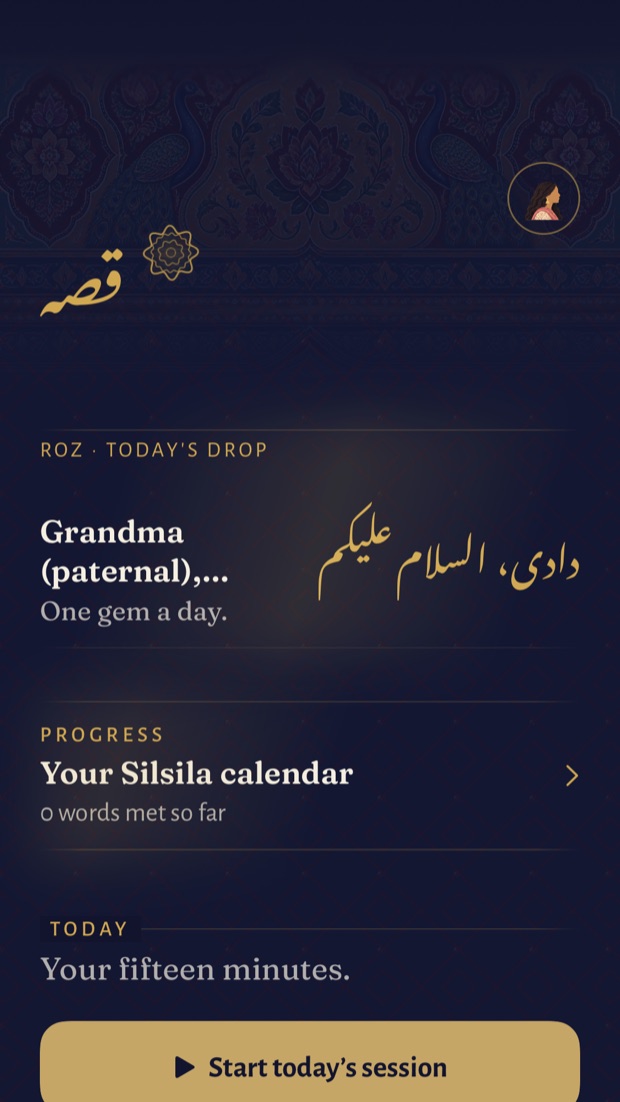
Each day you get one new word and a short practice session built around it. A calendar called your silsila (Urdu for chain) keeps count of the words you've learned. If you miss a day, the app won't nag you.

The Qissa home screen: today's drop, your silsila calendar, and a start-today button.

Common questions.

I can't read Urdu script. Is that a problem?

No. Every core lesson works in English letters, the way you would type Urdu in a text message. You can learn the Urdu script as well, whenever you like, but you never have to.

I understand Urdu but freeze when I have to speak. Is this for me?

Yes, this is who Qissa is made for. It skips the beginner picture cards. From the first session you practice, out loud, the things you would say on a call with family.

Who decides if I said it right?

You do. You play your recording next to the app's and compare them. You can also turn on the words check, which tells you which words it heard. If it misses a word you know you said, one tap marks it correct and the attempt counts.

What happens to my voice recordings?

The microphone is only on while you hold the record button. Your recording stays on your phone so you can play it back. If you turn on the words check, each recording goes to our server, which checks which words it heard and then deletes it. We keep no audio. The words check is off until you turn it on. The privacy policy has the full detail.

Is this Urdu or Hindi?

Urdu. Qissa teaches everyday spoken Urdu, the way families in Pakistan and across the diaspora speak it. Spoken Urdu and Hindi share a lot, so if you grew up around either one, plenty will sound familiar. Where the two differ, Qissa teaches the Urdu word. The Urdu script is there too, if you want it.

What does it cost?

There is a free trial to start. You will see the plans and prices in the app before you pay anything. Billing goes through Apple, and you can cancel in your iPhone settings.

Get Qissa

Be ready for the next call.

Practice the Urdu you need to talk with your family. Start with a free trial and say your first line out loud today.

Get Qissa for iPhone Join the waitlist

Coming soon to iPhone.

Contact

Write to us.

Questions, ideas, or something broke? We read every message.

Prefer email? [email protected]

So we can reply. Nothing else.